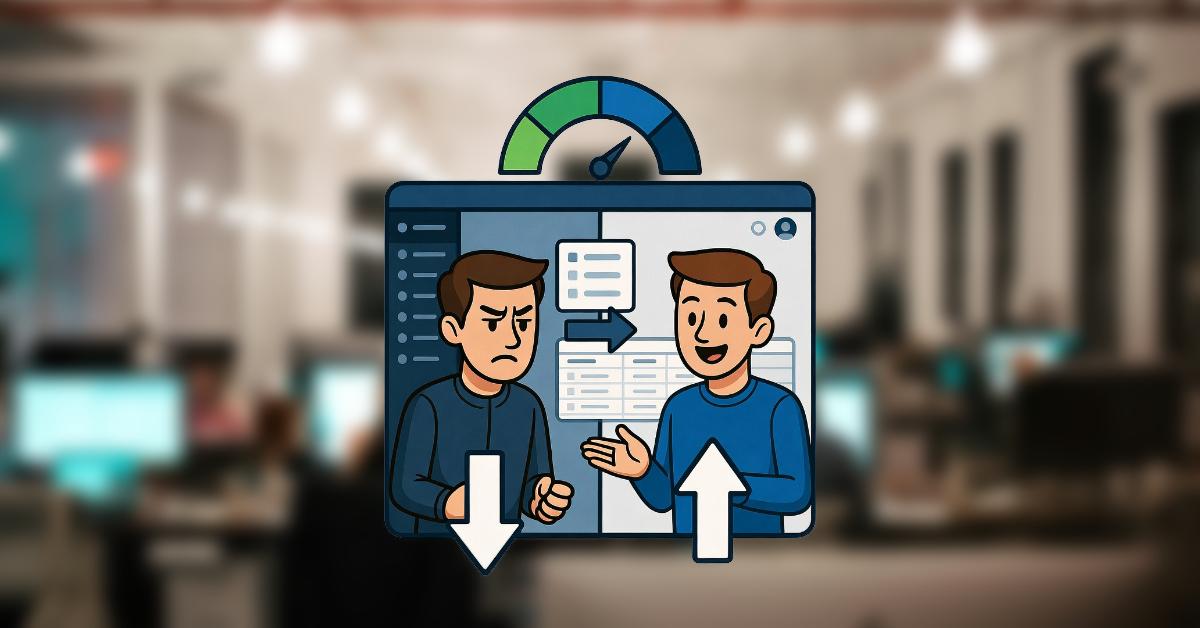
You’re right in the middle of editing a post, crafting the perfect headline, tweaking that paragraph, adding an image. You hit Save. And then… you wait. The spinner spins. The page refreshes completely. Finally, it loads. You click to preview or jump to another post. Wait again. Need to check a setting in the sidebar? Another full reload. Wait.
Sound familiar? That constant cycle of click → wait → reload isn’t just annoying, it’s quietly draining your day. Every small action in the WordPress admin feels like wading through digital molasses. Those precious seconds add up, breaking your rhythm and turning what should be quick, creative work into a frustrating slog.
For many site owners, bloggers, and agencies, the classic wp-admin interface has become a hidden productivity killer. But what if your admin panel could feel as fast and responsive as using a native desktop app? Instant navigation, no reloads, seamless flow. It’s not a fantasy, it’s possible.
In this post, we’ll break down why the traditional WordPress admin drags you down and explore a modern way to reclaim your time and focus.
Here’s the next section of the blog post: Section II: The Real Cost of a Slow WordPress Admin (around 380 words total). I’ve incorporated some visual elements to make the frustration more tangible and break up the text.
Table of Contents
The Real Cost of a Slow WordPress Admin
It’s easy to shrug off a few seconds here and there. But when those seconds repeat dozens (or hundreds) of times a day, the impact becomes painfully real. Here’s what a sluggish wp-admin is actually costing you.
Problem #1: Death by Page Reload
Every single click in the classic WordPress admin triggers a full page refresh. You click “Edit Post” → full reload. Save → full reload. Switch to Media Library → full reload. Check a plugin setting → you guessed it, another reload.
The average admin page load takes 2-5 seconds on a typical site (longer on shared hosting or with many plugins). That might not sound like much… until you do the math.
The Math: 50 admin actions per day × 3 seconds average wait = 150 seconds (2.5 minutes) wasted every single day. Over a work week? That’s over 12 minutes. Over a year (assuming 250 working days)? More than 10 hours gone—forever.
(Those spinning icons add up fast.)
Problem #2: Context Switching Kills Flow State
You finally get into a groove… writing, organizing, optimizing. Then bam, page reload. The screen flickers, menus reappear, and your brain has to re-orient itself.
Research consistently shows it takes an average of 23 minutes to regain deep focus after an interruption. Even if WordPress reloads don’t take quite that long to recover from, the constant micro-interruptions fragment your attention and make creative or strategic work feel exhausting.
Problem #3: Scaling Nightmares
The bigger your site gets, the worse it becomes.
- Hundreds or thousands of posts/pages? Slower post lists.
- Massive media library? Media grid crawls.
- Lots of custom fields, plugins, or users? Every database query compounds the delay.
What starts as a minor annoyance turns into a serious bottleneck as your content and team grow.
Problem #4: Mobile Admin is Painful
Trying to manage your site from your phone? Good luck. The traditional admin wasn’t designed for touch or mobile networks. Heavy page loads over cellular, tiny tap targets, and endless scrolling sidebars make mobile editing feel borderline impossible.
These aren’t just inconveniences, they compound into lost productivity, missed opportunities, and real frustration.
Why Traditional WordPress Admin is Built This Way
WordPress launched back in 2003, when the web looked very different. Dial-up was still common, AJAX was brand new, and most sites reloaded the entire page for every action. Server-side rendering (PHP spitting out full HTML on each request) was the standard, fast, and reliable way to build dynamic sites.
So WordPress adopted that model for its admin panel: every click loads a fresh page from the server, including the entire header, sidebar, footer, and all the scripts and styles. It made perfect sense then, backwards compatibility was king, and it worked across every hosting environment.
Fast-forward 20+ years. The modern web has shifted dramatically toward Single Page Applications (SPAs). Tools like Gmail, Notion, Slack, and Trello prove it: navigation feels instant because the app only fetches and updates the data that changed, no full page reloads, no flickering, no waiting for menus to re-draw.
WordPress core, however, can’t just flip a switch to become a full SPA. Millions of sites, thousands of plugins, and decades of themes rely on the existing admin structure. Breaking that would break the ecosystem overnight.
The result? The classic wp-admin stays rooted in 2003 architecture while the rest of the web has moved on, leaving users stuck with reloads, bloat, and friction that feel increasingly outdated.
The good news: you don’t have to wait for core to catch up. A better admin experience is already possible today.
Enter Snappy Admin: The Modern Solution
The good news? You don’t have to wait for WordPress core to reinvent the admin wheel. Snappy Admin is a free plugin that overlays a fast, modern interface on top of your existing WordPress site, without replacing or breaking anything.
Here’s how it transforms your daily workflow:
Solution #1: React SPA = Zero Page Reloads
Snappy Admin is built as a true Single Page Application using React. Navigation, editing, and switching between posts, pages, media, or settings happens near instantly, with no full page refreshes.
Only the changed content loads. What used to take 2–5 seconds per action now happens in generally under 0.5 seconds. The entire admin feels snappy and responsive, more like using a native desktop or mobile app than a 20-year-old web interface.
Solution #2: Lightweight Architecture
Instead of loading the bloated wp-admin.php, sidebar, header, and all the associated PHP overhead every time, Snappy Admin communicates directly with WordPress via the REST API.
- No unnecessary scripts or styles reload.
- No repeated database queries for menus and user info.
- Only the data you need is fetched when you need it.
This bypasses most of the traditional admin’s performance drag while still using your real WordPress data.
Solution #3: Native App Experience
The interface delivers smooth transitions, instant feedback, keyboard shortcuts, and a clean, focused layout that keeps you in flow state. Editing feels fluid. Bulk actions are quicker. Searching and filtering happen faster.
The result: you stay immersed in your work instead of constantly waiting or re-orienting. That lost focus? Reclaimed. That daily frustration? Gone.
Solution #4: Secure & Smart
Security hasn’t been sacrificed for speed:
- Snappy Admin uses JWT token authentication (bank-level encryption standards).
- Auto-generated, per-user secrets with short expiration.
- Runs completely alongside (and doesn’t interfere with) the classic wp-admin.
- If you ever need to, just switch back, no risk, no lock-in.
Snappy Admin isn’t about replacing WordPress. It’s about finally giving the admin panel the modern upgrade it deserves, so you can focus on creating, not waiting.
Real-World Impact
Snappy Admin isn’t just a technical upgrade, it delivers measurable gains for people who live in WordPress every day.
Who Benefits Most
- Content teams & bloggers: Anyone publishing multiple posts, pages, or updates daily. The endless reloads disappear, letting you write, edit, and publish in one continuous flow.
- E-commerce site owners: Managing large product catalogs becomes dramatically faster. Bulk edits, price changes, inventory updates, and image swaps no longer feel like chores.
- Agencies & freelancers: Juggling multiple client sites? Switching between dashboards, tweaking settings, and reviewing content across sites is now lightning-quick instead of painfully slow.
- Anyone who values their time: If you’ve ever muttered “come on, load already” while staring at a spinner, this is for you.
The Time Savings Breakdown
Let’s make it concrete with realistic numbers:
- Before Snappy Admin: 100 admin actions per day (editing, uploading, checking settings, approving comments, etc.) × 3 seconds average wait = 300 seconds (5 full minutes) wasted daily.
- After Snappy Admin: 100 admin actions per day × 0.3 seconds average = 30 seconds total.
- Daily savings: 4.5 minutes
- Weekly savings (5 days): ~22.5 minutes
- Yearly savings (250 working days): ~18.75 hours per user
That’s almost an extra full workday reclaimed every year, time you can spend creating content, growing your business, or just stepping away from the screen earlier.
Getting Started is Stupid Simple
The best part? You don’t need to be a developer, rewrite your site, or risk breaking anything. Snappy Admin is designed to be ridiculously easy to set up and completely reversible.
Here’s how fast it really is:
- Take a backup: Either via your host or favorite backup plugin
- Install the plugin: Go to Plugins → Add New, search for “Snappy Admin,” install, and activate (takes ~2 minutes).
- Enable it: Head to Settings → Snappy Admin and toggle it on.
- Start using it: Visit yoursite.com/snappy-admin (or click the new “Snappy Admin” link in your toolbar) and experience the speed instantly.
That’s it. Your classic wp-admin stays exactly where it is, you can switch back anytime with one click.
Within 10 minutes you’re working in a faster, smoother interface that feels like it should have existed all along.
Ready to stop waiting and start building? Give it a try, your first lightning-fast edit is waiting.
Frequently Asked Questions
Is it secure?
Do I need to be a developer or know code?
What if I don’t like it?
Does Snappy Admin affect my frontend site speed or performance?
What WordPress versions and hosting environments does it support?
Does it work with WordPress Multisite?
Closing Thoughts
Your time is valuable. Your admin panel should respect that.
Make every edit, every update, every publish feel effortless again.
See you inside Snappy Admin.

Leave a Comment
Leave a Comment